 JustInvoice
Your client. Your work. Your rate.
Add the job details. Reuse saved clients and items next time, instead of typing them all over again.
Invoices, estimates and the money you’re owed.
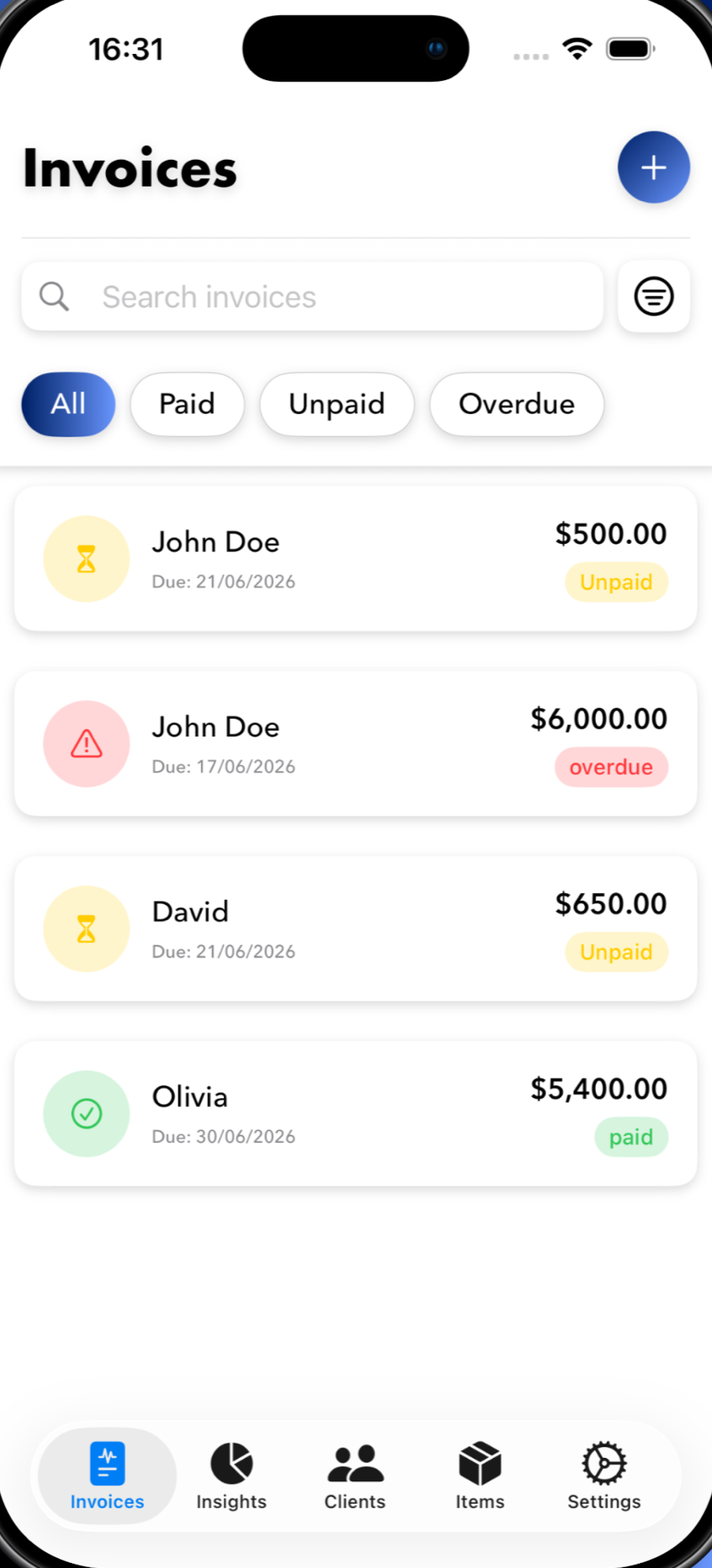
JustInvoice puts it all on your iPhone.
For freelancers, small agencies and independent tradespeople.
iPhone · PDF invoices & estimates · Works offlineA freelance project. An agency client. A repair job.
Whatever the work, send the invoice
while it’s still fresh.
Add the job details. Reuse saved clients and items next time, instead of typing them all over again.
Your logo, your colour, your payment details. A professional PDF you’ll actually want to put your name on.
Share by email, WhatsApp or AirDrop. Track what’s unpaid, what’s overdue, and what you’ve marked paid.
One brand. One very happy client. Illustrative example
The job is finished. The money part isn’t always. Keep your invoices, clients and outstanding balances together, so you know where things stand.
“Clean, simple, in all currencies and gets the job done. Exactly what I needed for quick invoices.”Syed Talal Hasan · App Store review
Same need. Bigger screen. Create a polished invoice right here in your browser, save your clients, and download a PDF ready to send.
Make your first web invoiceSaved in this browser. A separate workspace from the iPhone app.
One good invoice is a good place to start.
Choose where you want to make it.
For the workday that doesn’t happen at a desk.
For the days you’re already at your laptop.
Yes. Download JustInvoice for free and try your first 3 document sends. Free PDFs include a small JustInvoice footer. Upgrade to Pro in the app for unlimited sends and watermark-free PDFs. Current subscription prices are shown in the app before you subscribe.
The iPhone app works offline and doesn’t require an account. You’ll need a connection to download the app, manage a subscription, or send a PDF through an online service such as email.
Open the web app in your browser. Create invoices, save clients and items, customize your PDF, and download it to share. No account is required. Your data is saved in that browser; use Settings to export a backup.
No. The iPhone app keeps its data on your device, and the web app saves data in your browser. They are separate workspaces, so choose the one that fits how you work.
JustInvoice creates invoices and helps you track their status. Add your bank details and payment instructions to the PDF so clients know how to pay you. JustInvoice does not process payments; you mark an invoice paid when the payment arrives.